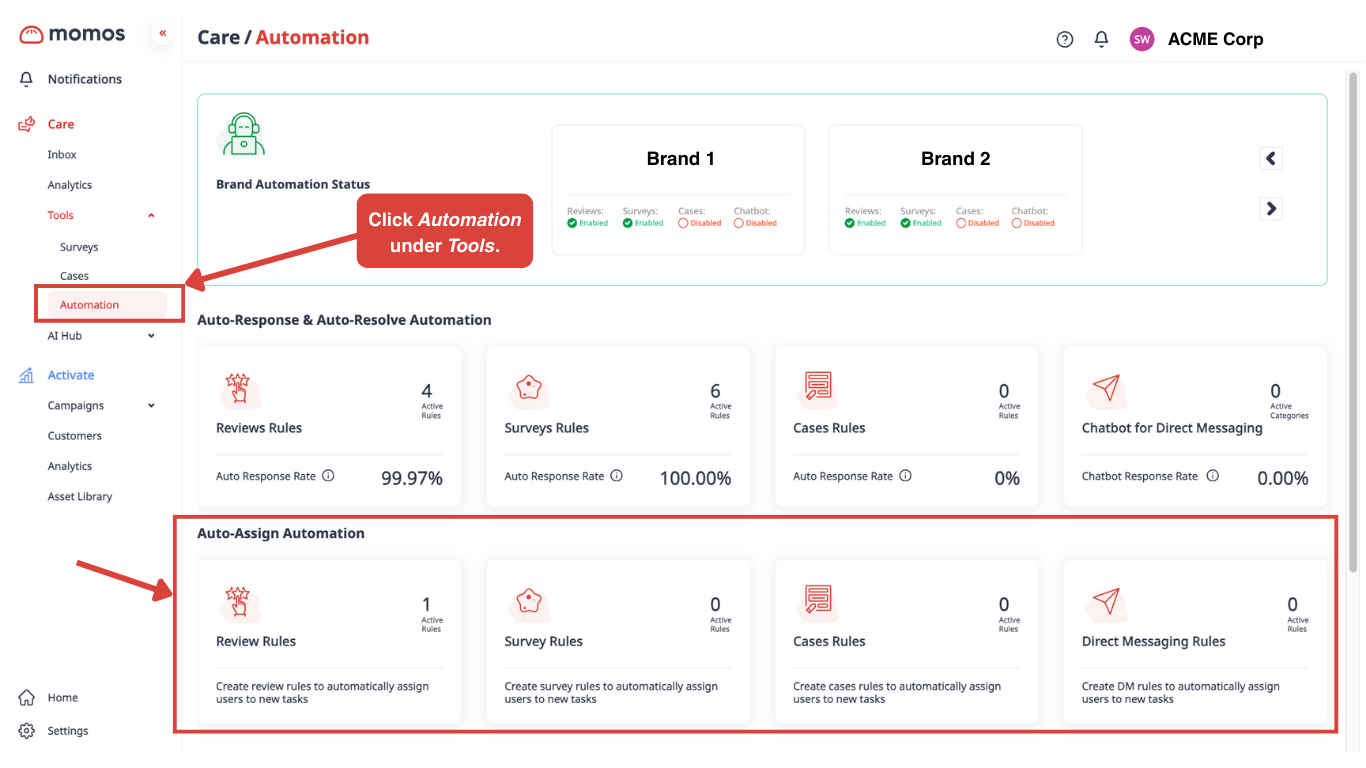
The Auto-Assign Automation lets you set up rules that automatically assign team members to feedback for your selected brands and locations. This ensures that all feedback receives proper attention and is addressed promptly.
自動化の場所
Access to automations is limited to admins. Go to the sidebar, under Careに移動し、Tools, then click 「自動化」を選択します。
How can I set it up?
These walkthroughs will guide you in setting up automation rules. The process is generally the same, with some steps added or removed only where the feedback type requires them.
Reviews
eSurveys
Cases
Direct Messaging
この記事は役に立ちましたか?
それは素晴らしい!
フィードバックありがとうございます
お役に立てず申し訳ございません!
フィードバックありがとうございます
フィードバックを送信しました
記事の改善におけるご協力ありがとうございます。