In ビジネス情報、 ブランド、ロケーションアウトレット、ロケーショングループを追加、編集、削除できます。会社プロフィールもビジネス情報の下にあります。
目次
Navigation
To locate Business Info, go to Settings, then click on Business Info.
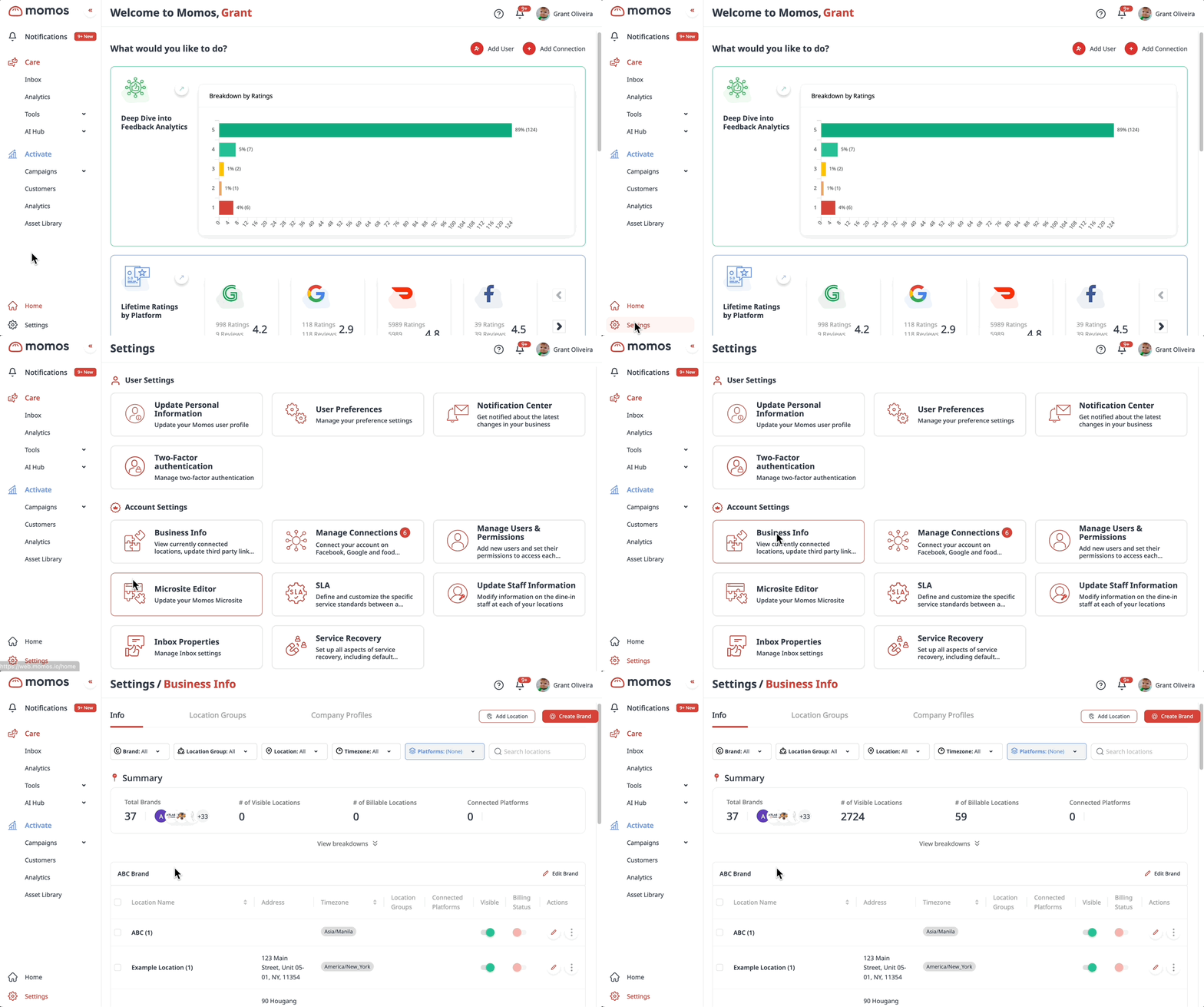
この Business Info is divided into three parts: Info, Location Groups, and Company Profiles.
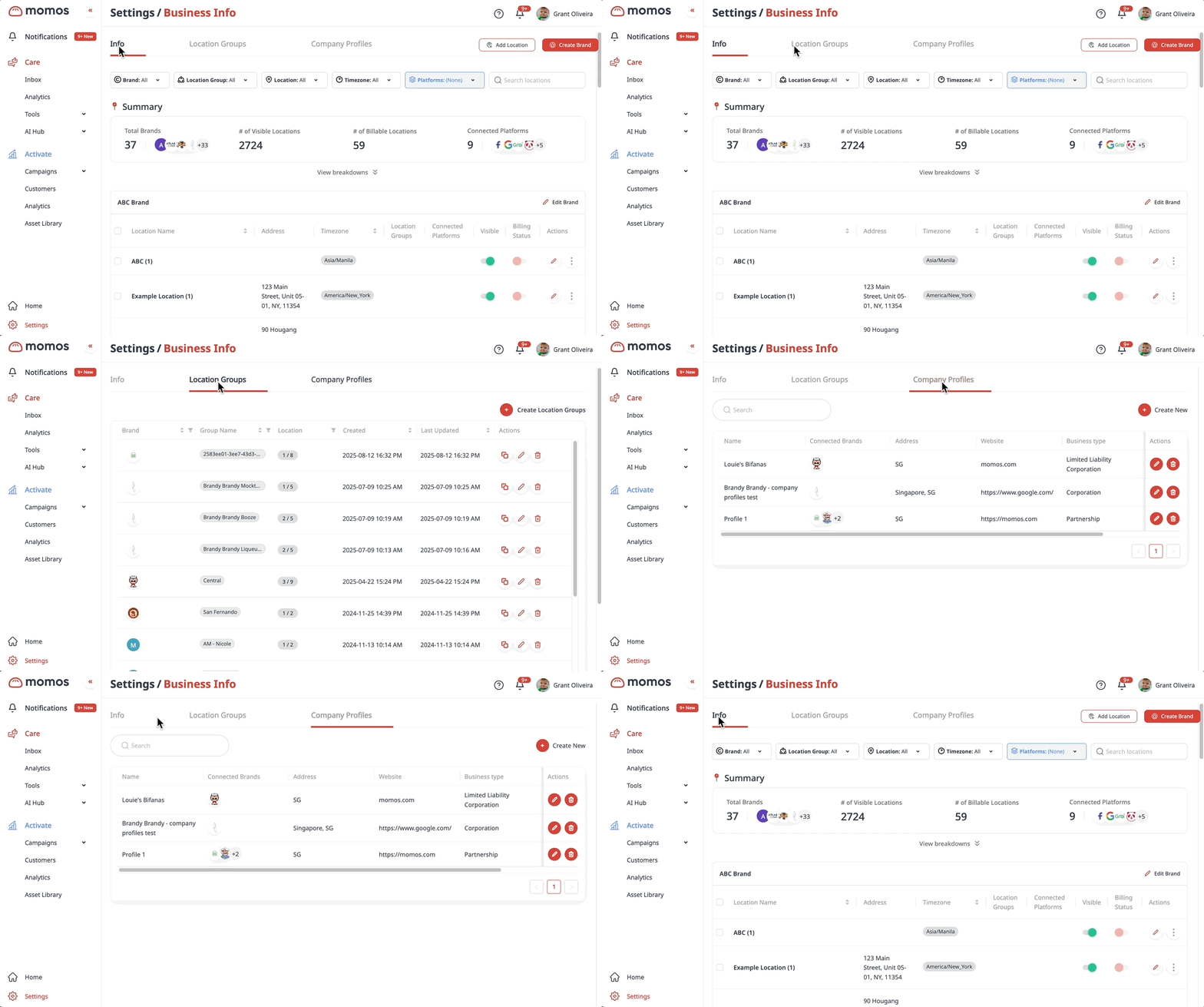
Info
This is where you can create new locations for your brands and edit their information. All locations and their respective information will reflect in the different modules of Momos (Surveys, Forms, Microsites etc.)
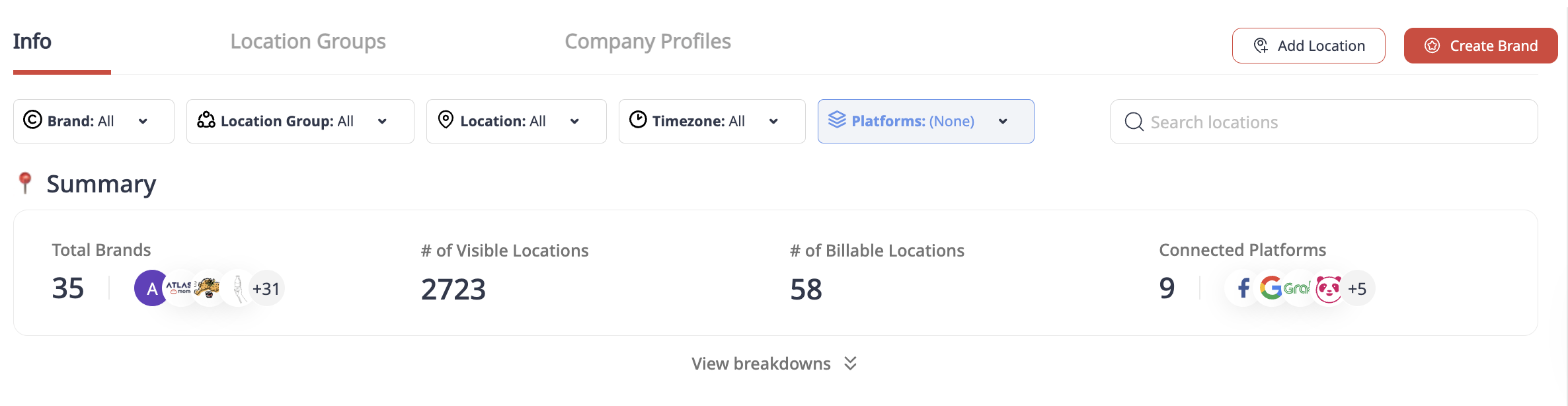
Summary
The Summary gives you an overview the brands, locations and connected platforms that you have set up.
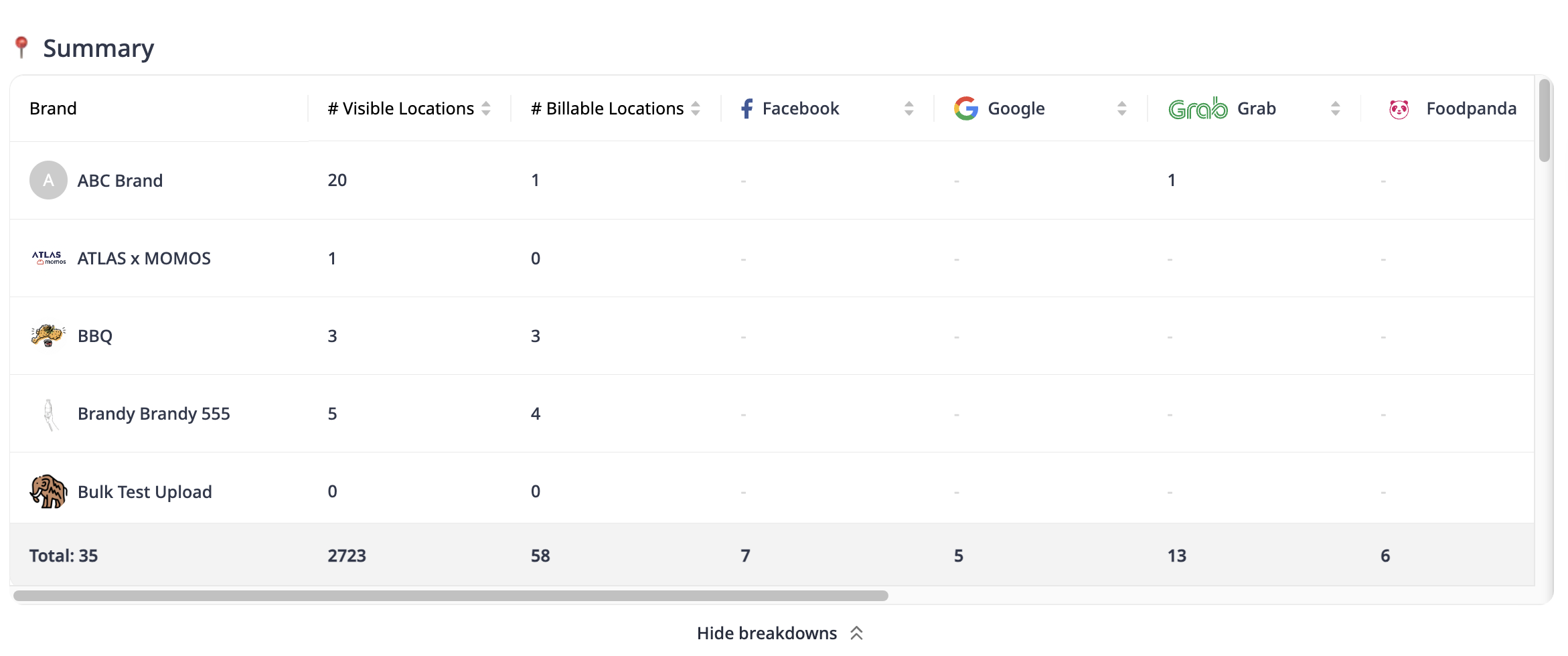
Click View breakdowns to view the data summary of each brand.
Brands and Locations
Under Info, you can select the brand you want to view using the dropdown filter.
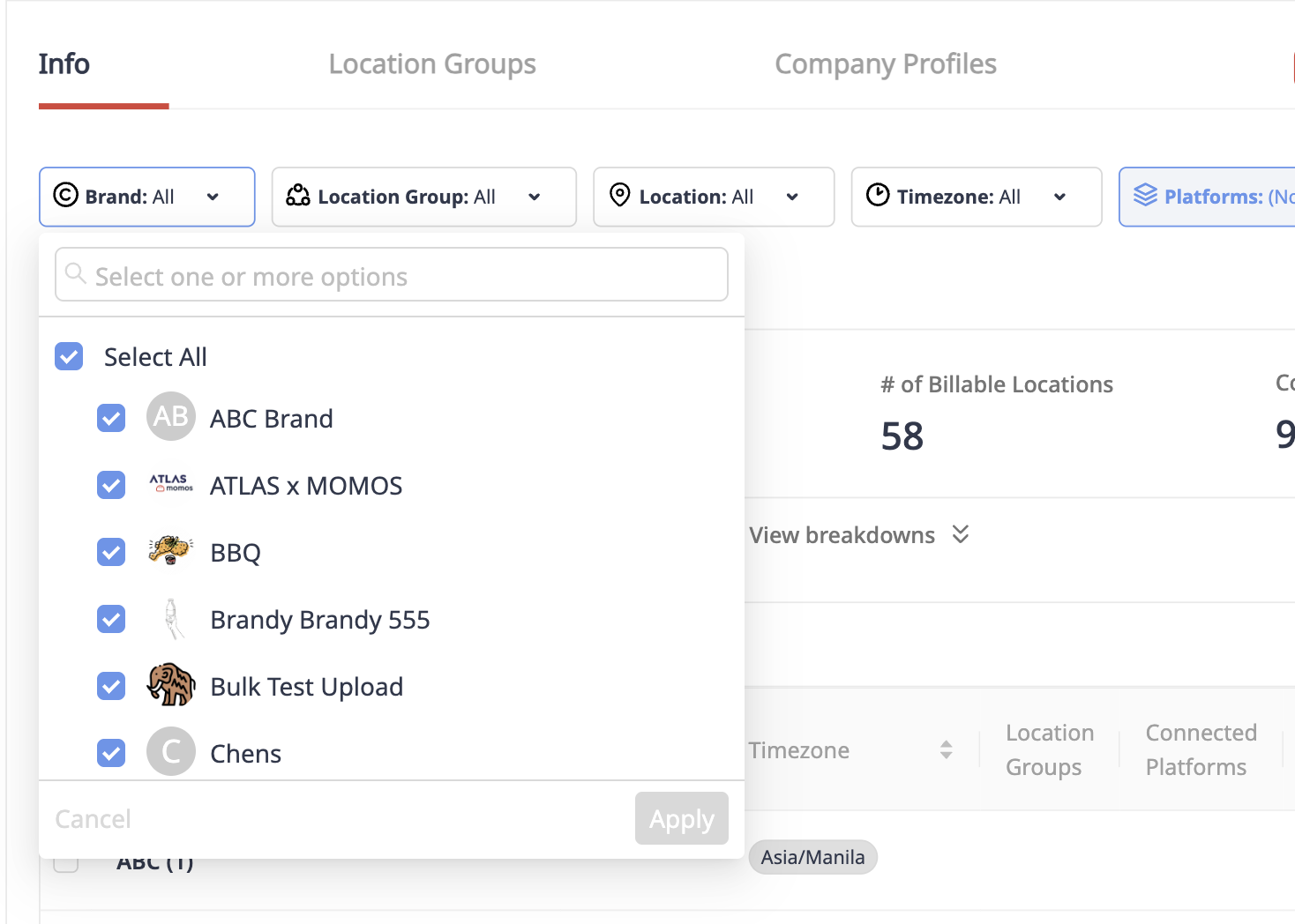
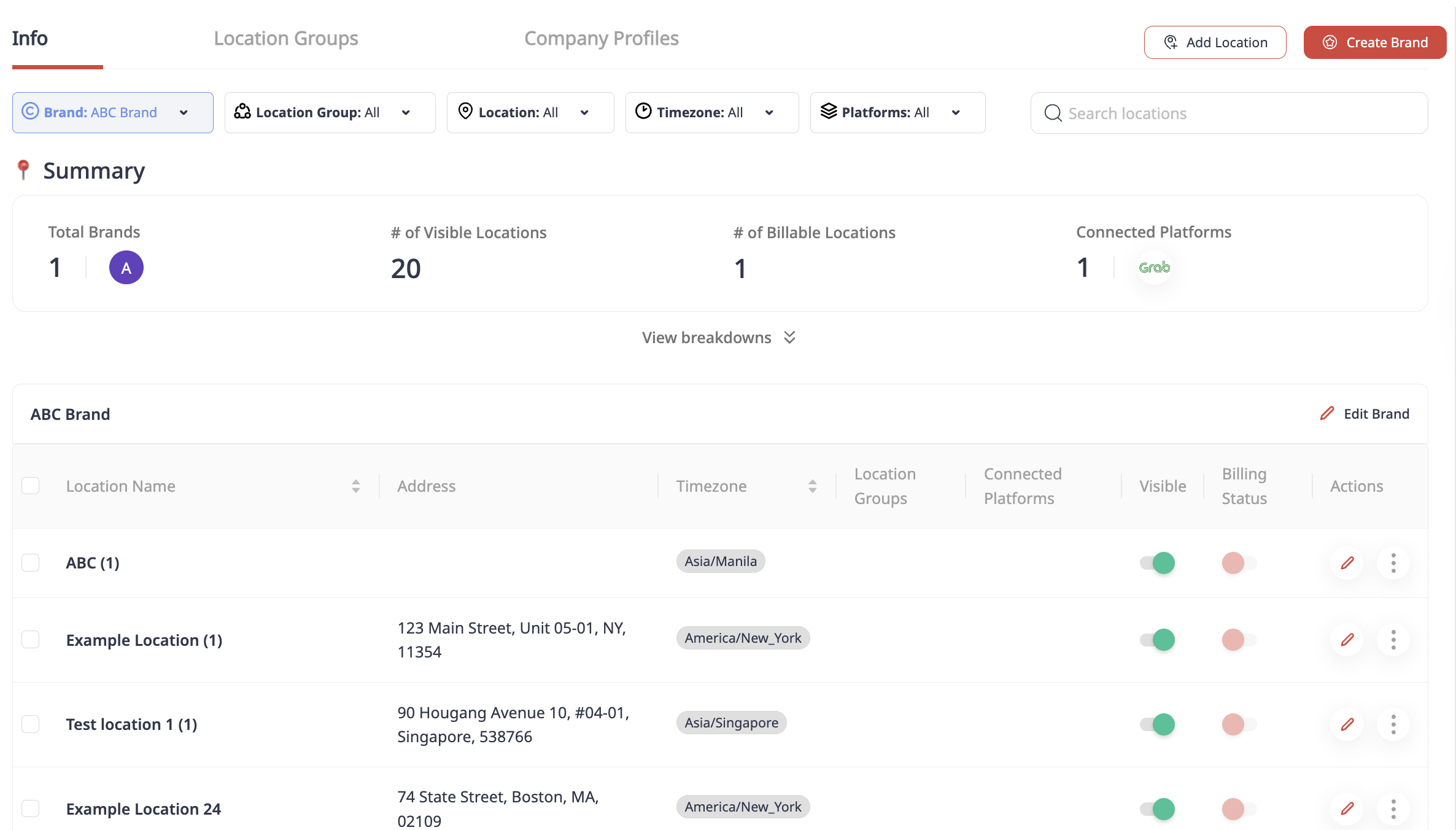
Once a brand is selected, you’ll see a list of its associated locations. Each location displays key details, including:
- Location name
- Address
- Timezone
- Location group
- Connected platforms
Location and Brand Management
Keeping your business details accurate ensures your customers and team always have the right information.
If you’ve recently opened a new brand or location, or would like to edit an existing one, follow the steps below to make the changes directly in your account.
新しいブランドと拠点の作成
ブランドと拠点の編集
ロケーショングループ
ロケーショングループは、業務を整理するのに役立ちます。近くのロケーションを共通のラベルでグループ化でき、ユニットとして管理・報告しやすくなります。
新しい拠点グループの作成
会社プロフィール
会社プロフィールはアウトバウンドキャンペーンの必須条件です。ブランドに会社プロフィールが設定されるまで、メールキャンペーンを送信することはできません。
新しい会社プロフィールの作成
この記事は役に立ちましたか?
それは素晴らしい!
フィードバックありがとうございます
お役に立てず申し訳ございません!
フィードバックありがとうございます
フィードバックを送信しました
記事の改善におけるご協力ありがとうございます。