Momosサーベイへようこそ!
This tool is available to all users, no matter your business size or industry. It’s a simple yet powerful way to collect customer feedback and gain valuable insights.
Momosサーベイを使う理由は?
- オンラインプレゼンスを強化するGoogle Boosted Reviewsを通じて。
- 顧客に報酬を与えるオファーや割引で再来店を促す。
- 顧客データベースを拡大するマーケティングキャンペーン用に。
- 無制限のカスタマイズ可能なサーベイを作成するブランドに合わせて。
- サーベイを簡単に共有する複数のプラットフォームで。
サーベイの場所
Under Care のgo toToolsand thenSurveysを選択します。
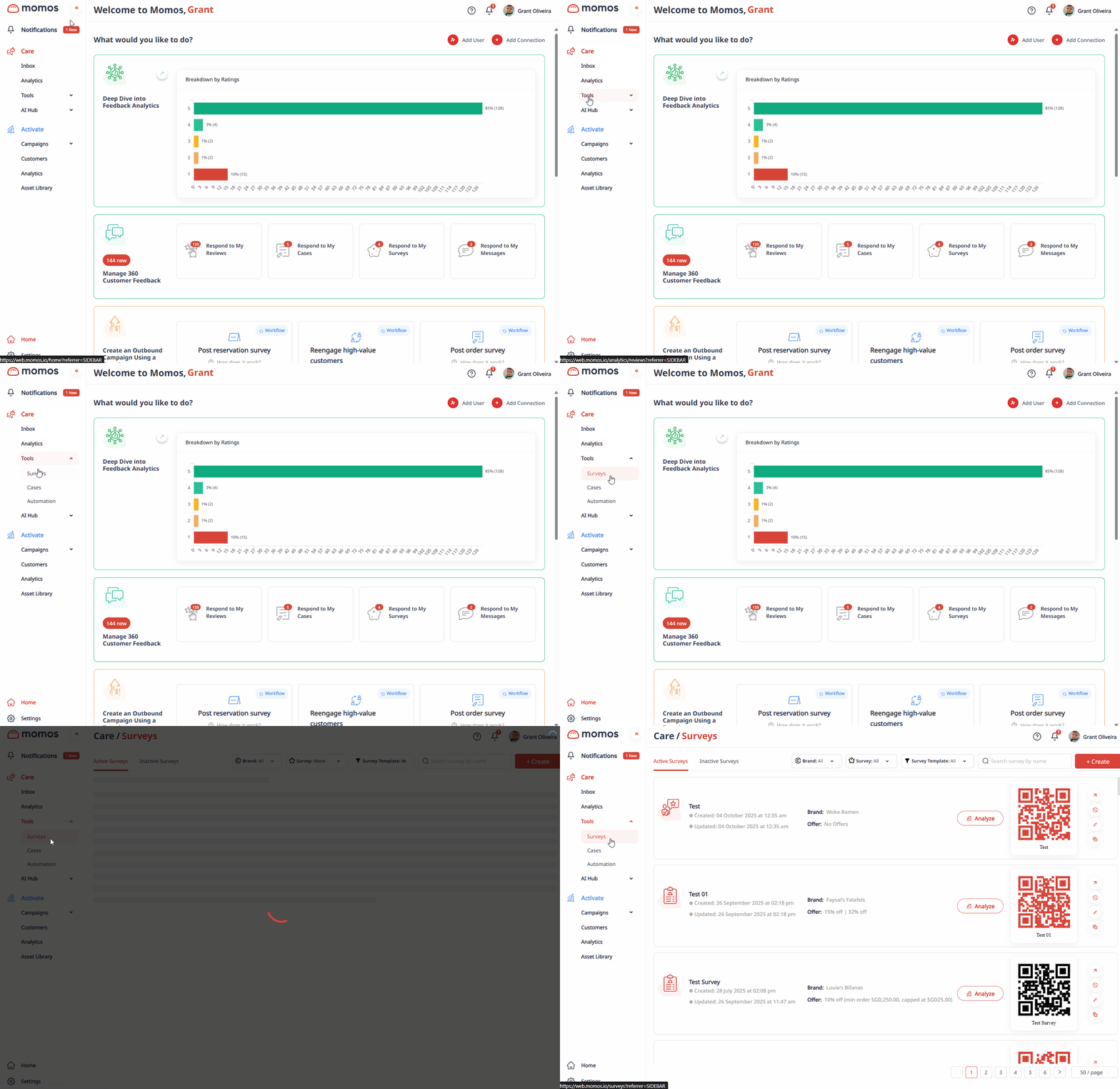
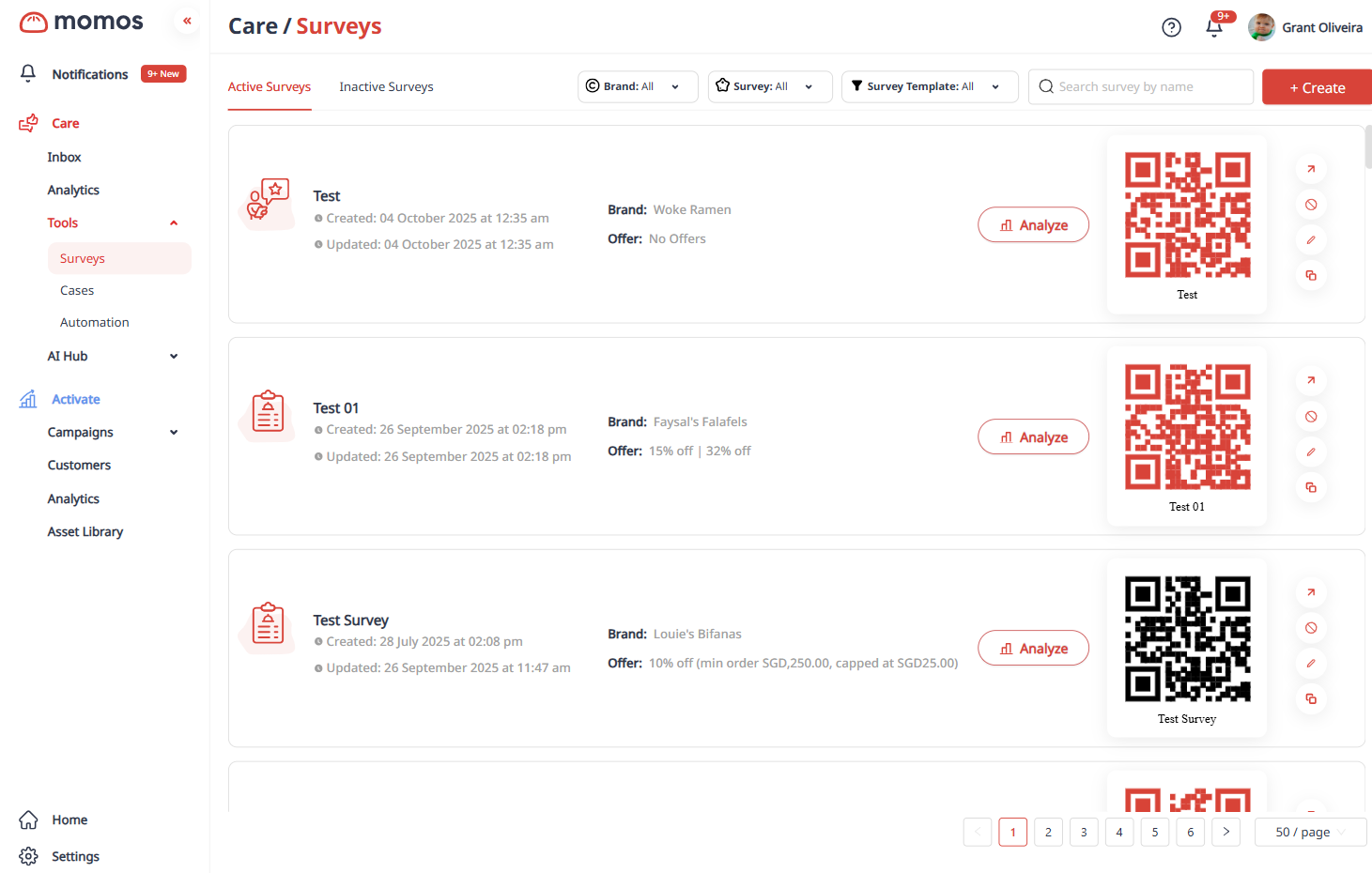
After clicking Surveys, you’ll land on the Survey Dashboard, where you can see the list of your surveys.
サーベイダッシュボードでできること:
- 新しいサーベイを作成する
- 既存のサーベイを編集または無効化する
- QRコードまたはリンクでサーベイを共有する
- サーベイ分析と回答を確認する
Now that you’re familiar with the basics, check out these guides to get started:
- サーベイの作成方法
- サーベイの共有
- エクスプレスサーベイリンクの作成
- サーベイ分析ページ
ⓘ ヒント: Use surveys regularly to engage with your customers and spot trends early. It’s one of the easiest ways to improve your customer experience.
この記事は役に立ちましたか?
それは素晴らしい!
フィードバックありがとうございます
お役に立てず申し訳ございません!
フィードバックありがとうございます
フィードバックを送信しました
記事の改善におけるご協力ありがとうございます。